> For the complete documentation index, see [llms.txt](https://help.onebot.tech/onebot-help/llms.txt). Markdown versions of documentation pages are available by appending `.md` to page URLs; this page is available as [Markdown](https://help.onebot.tech/onebot-help/bloki-konstruktora/prostye/blok-zayavka.md).
# Блок "Заявка"
Данный блок позволяет отправить заявку в CRM или уведомление в мессенджер или на почту.
{% hint style="info" %}
Добавление способов приема заявок
{% endhint %}
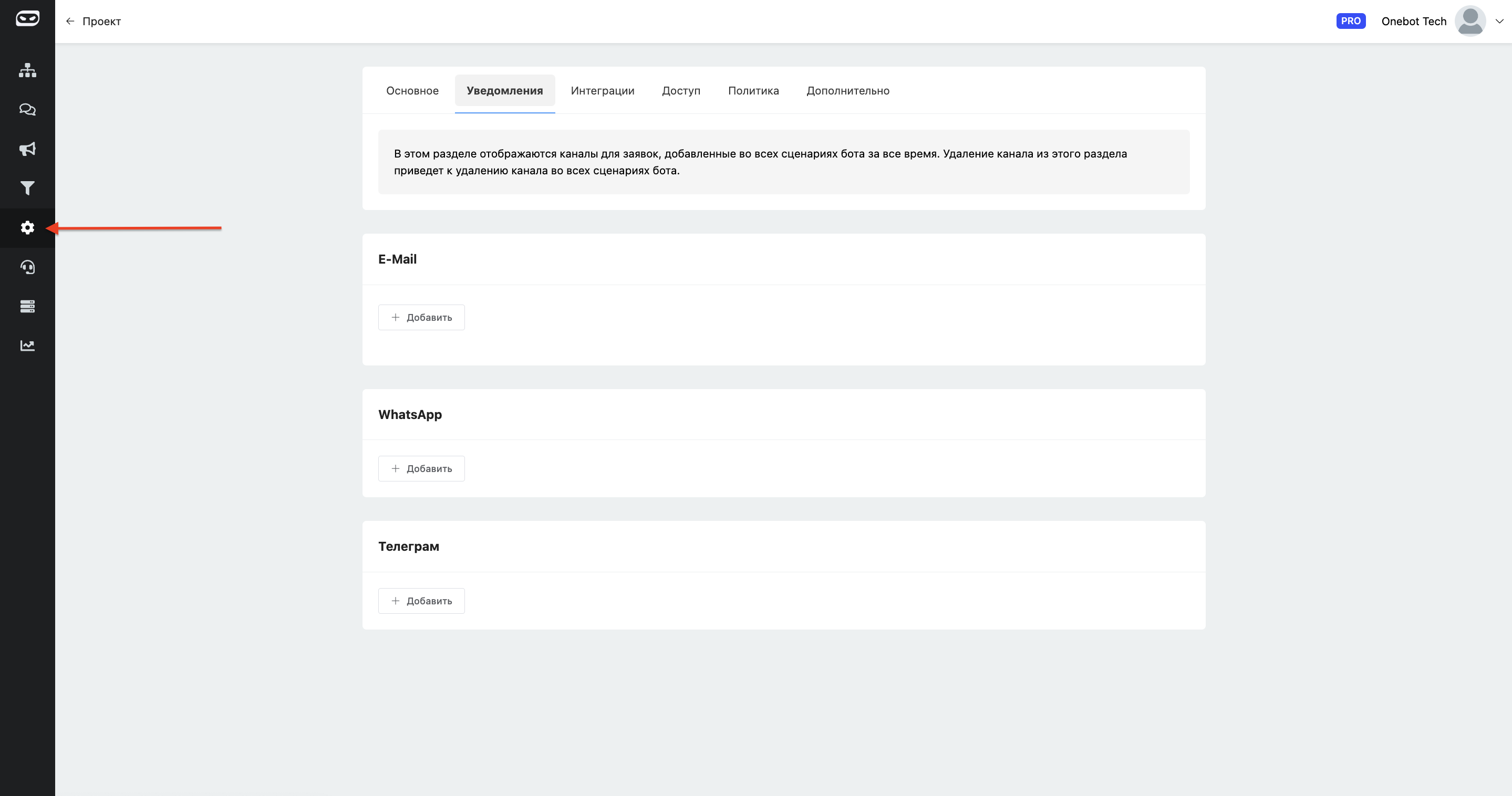
В разделе "**Настройки**", во вкладке уведомления можно увидеть 3 простых способа отправки заявок.
Для добавления нужного канала, для отправки уведомлений, воспользуйся кнопкой "**Добавить**" в нужном разделе и, следуя инструкциям, подключи нужный.
{% hint style="info" %}
Настройка отправки уведомлений в блоке
{% endhint %}
После добавления блока "Заявка" при нажатии на него откроется контекстное меню с настройками блока, в котором, в соответствующем разделе добавьте нужный канал получения уведомлений.